
Website Redesign On A Budget Where To Save And Where To Spend

Website design can be very expensive, but it doesnt have to be.
The truth is, a website redesign on a budget in Cape Town is not about cutting corners. It’s about understanding which parts actually move the needle.
What actually makes a website perform better?
There’s a quiet disconnect in the way most people think about websites. They imagine design first, visuals, animations, branding polish. But industry trends consistently show something else.
The elements most correlated with real business outcomes are:
- Page speed
- Mobile optimisation
- Clear navigation and structure
- Obvious, well-placed calls to action
Not aesthetics.
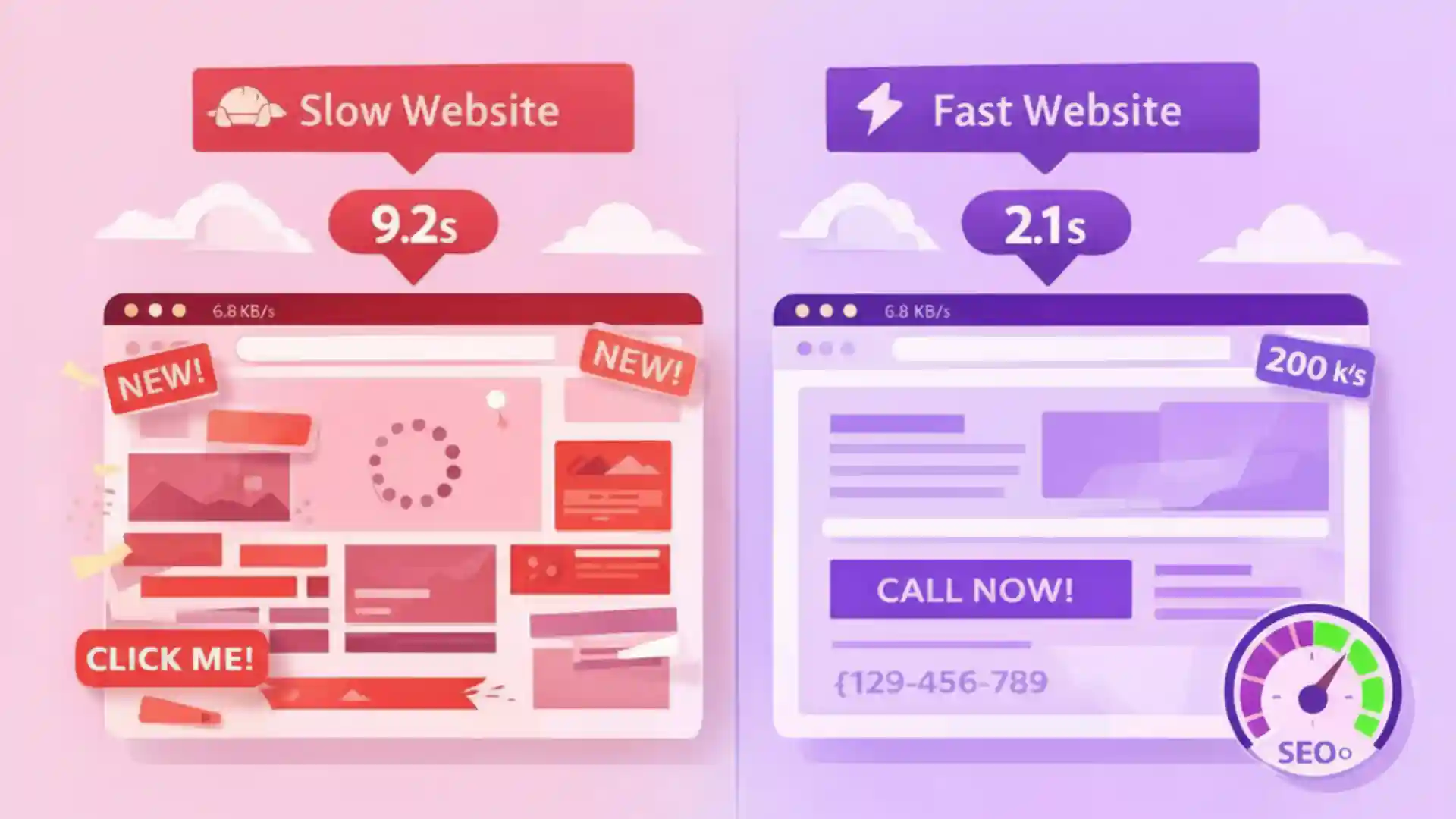
Recent studies in conversion rate optimisation suggest that clarity and load time often have a greater impact on enquiry rates than visual sophistication. In practical terms, a fast, simple site that guides a visitor clearly will outperform a visually impressive site that confuses them.
If you’re trying to understand what a professional website costs in Cape Town, this is the context that matters. You’re not paying for “a website.” You’re paying for performance.
Where should you spend your budget?
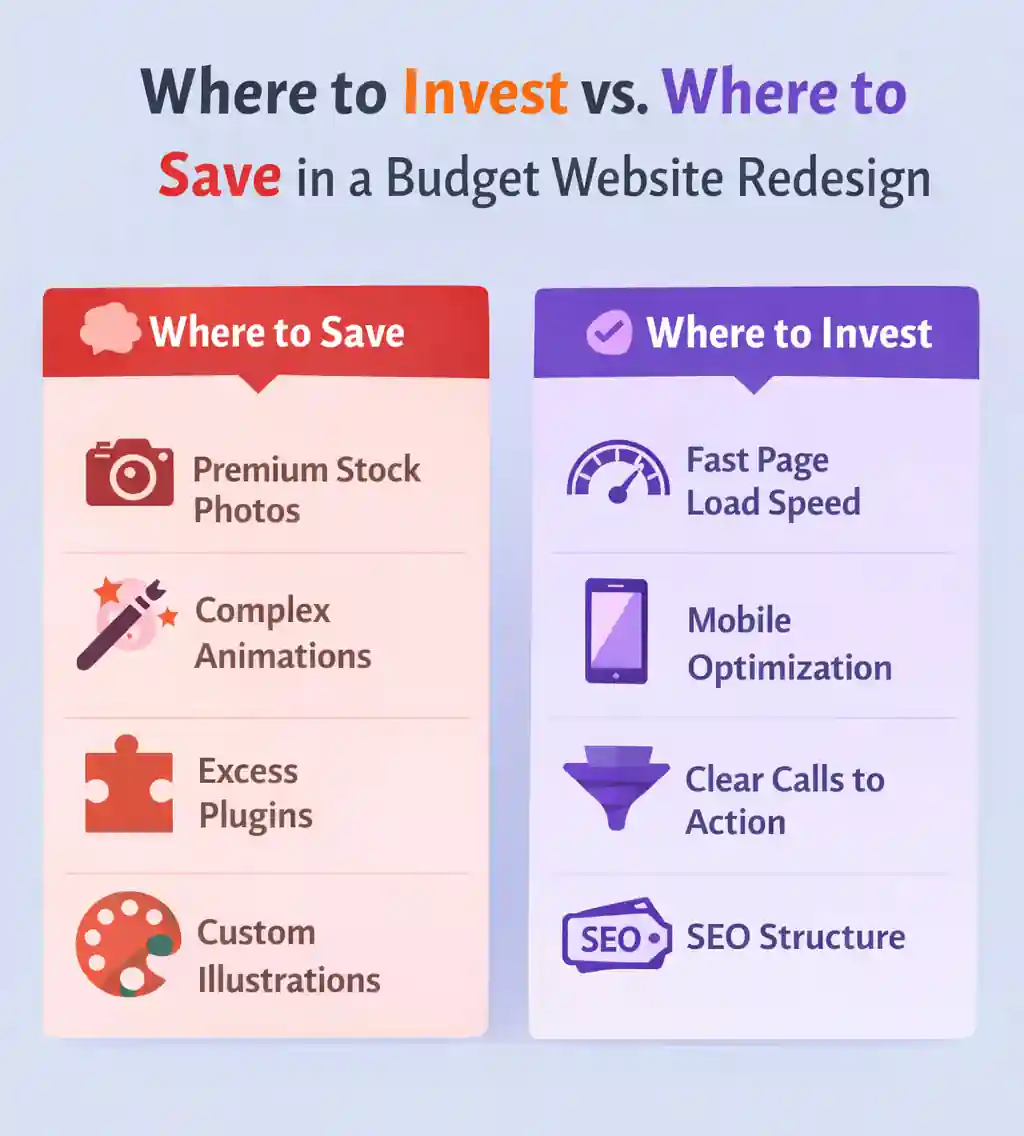
If your budget is tight, this is where precision matters. These are the non-negotiables.
1. SEO structure and foundations
This is invisible work, but it’s what determines whether your site gets found.
A proper structure includes:
- Clean URL architecture
- Keyword-informed page titles and headings
- Logical internal linking
- Proper meta data
2. Mobile performance and speed
In South Africa, mobile traffic dominates. If your site is slow or clunky on a phone, you’re losing leads before they even read your offer.
Focus on:
- Fast-loading pages
- Optimised images
- Lightweight code
- Reliable hosting
3. Conversion-focused layout
Most small business websites fail here.
Visitors land on the page and have to figure things out for themselves. That friction costs you enquiries.
A good layout should:
- Clearly explain what you do within seconds
- Guide users to the next step
- Include visible, repeated calls to action
4. A CMS you can actually use
You shouldn’t need a developer to change a phone number or update a service.
A practical build includes:
- Easy content editing
- Scalable structure
- Flexibility for future updates
Where can you safely cut costs?
Areas to economise without hurting results:
- Premium stock photography
- Custom illustrations
- Advanced animations
- Overbuilt features and plugins
The real cost of getting it wrong
A slow site reduces visibility, increases bounce rates, and weakens trust. A confusing layout quietly kills conversions.
Should you go DIY or hire someone?
DIY platforms come with tradeoffs:
- Slower performance
- Limited SEO control
- Template constraints
What about ongoing costs after launch?
After your redesign, you’ll need to account for:
- Hosting
- Maintenance
- Content updates
See ongoing website costs in South Africa
A practical way to think about your redesign
- What will make my site faster?
- What will make it easier to understand?
- What will make it easier to take action?
If you’re ready to approach this properly
Frequently Asked Questions
Subscribe to Our Newsletter
Get the latest insights on digital marketing delivered to your inbox
We respect your privacy. Unsubscribe at any time.
Resources & References
The following sources were consulted in the preparation of this article.
Related Articles

5 Essential Digital Marketing Strategies for South African Small Businesses in 2025
Discover the proven digital marketing strategies helping South African small businesses grow online, attract more customers, and boost sales in 2025.
SEO Basics: Getting Your Cape Town Business Found Online
A practical SEO guide for Cape Town businesses. Learn how to rank higher in search results, attract local customers, and grow your online presence.

The Importance of Professional Website Design for Local Businesses
Discover how a professionally designed website builds trust, boosts SEO, and drives conversions for local South African businesses.